How do I logout?
Having trouble logging out? Here’s a quick visual guide to help.
- In the top right-corner, move your mouse over “My Profile”:
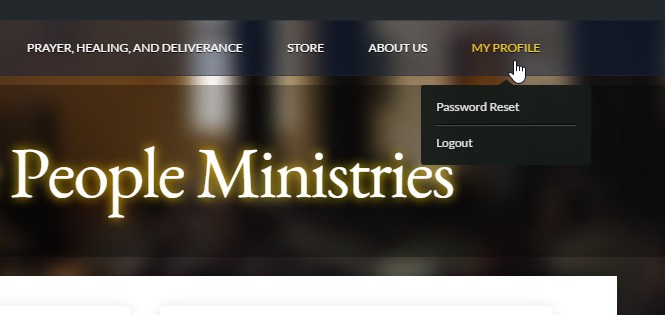
(Don’t see “My Profile” in the top right corner? Then you’re already logged out.) - Click the “Logout” link from the black drop down.
You’re done.
If you’re still having trouble, please contact our technical support.
Hope this helps.